
What is a .glim?
A .glim is one file that holds one animation at several sizes, in the two video formats browsers need, with its still pictures and description inside. A new file format sounds like overkill for putting an animation on a website. This page walks through why we made one anyway.
The problem
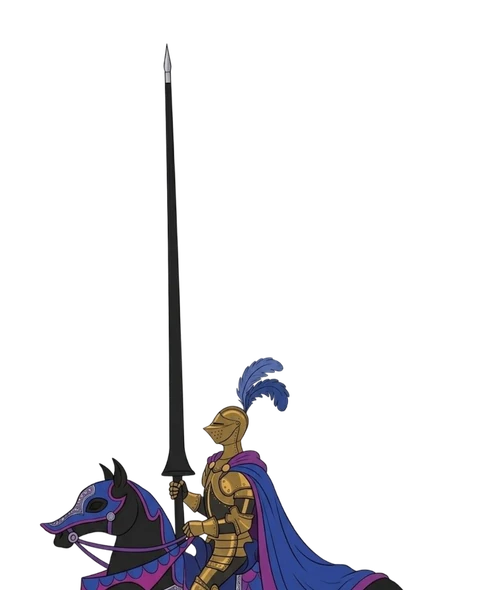
Putting a transparent animation on a website is harder than it looks. Our blue knight shows why.
Browsers disagree
Safari and every iPhone browser draw transparency from HEVC video (.mp4). Chrome, Edge and Firefox draw it from VP9 video (.webm). Give Firefox the HEVC file and it plays on black. Give Safari the VP9 file and it plays on black too. So every animation needs both.
One size is wasteful
At full size the knight is 189 KB as HEVC. A phone showing him small only needs the 480 pixel file, 146 KB.
Files multiply
Three sizes in two formats, three still pictures and a list that ties them together: one knight is ten files. Every one has to be uploaded, named and kept in step with the rest.
The obvious fixes, and where they fall short
A folder of files
Upload all ten files and point the player at the list. It works, and Glimmerglass still supports it. But it is still ten files per animation, and renaming or replacing one of them breaks the set.
One video for everyone
No single format draws transparency in every browser: HEVC plays on black in Firefox, VP9 plays on black in Safari. And one file means one size, so phones download the desktop version.
A GIF or WebP
From the same knight frames, a GIF is 1.37 MB, with 256 colors and on-or-off transparency. An animated WebP is 537 KB at quality 75. The knight's biggest Glimmerglass video is 117 KB.
One file
A .glim holds your animation at several sizes and in both formats browsers need, with its still pictures and its settings: its name, its description, whether it loops, its timing and its shape.
It is a standard ZIP file with nothing compressed, so a player can read just the part it needs. The wrapper itself adds about 3 KB.
A visitor never downloads the whole thing. The player reads the list at the front, then fetches the one video that fits their screen and browser. For the knight that is between 81 KB and 212 KB.
Inside the knight's .glim, 965 KB
- mimetypesays "this is a .glim"
- manifest.jsonthe list: settings, sizes, formats and a fingerprint for every file
- Still pictures480, 640 and 814 pixels: 24, 37 and 44 KB
- HEVC videos480, 640 and 814: 146, 212 and 189 KB
- VP9 videos480, 640 and 814: 81, 117 and 110 KB
What that buys you
The right file
The player picks the size and format that each screen and browser shows best, and one size smaller on a slow connection.
One file to manage
Upload, move, replace or back up one file instead of ten. Nothing to rename, and nothing left behind.
Always in sync
Every size, format and picture travels together with a fingerprint, so the player spots a damaged or swapped one.
Describe it once
The description travels inside the file, so every page that uses it gives screen readers and search engines the same words.
Proof it's the original
Content Credentials receipts are planned. They will let people check whether a file has changed since it was signed. A .glim has a place set aside for that receipt, so the proof can travel with the file instead of beside it.
Nothing is signed yet. Today's .glim files carry no receipt.
What works today
Every file inside a .glim has a fingerprint (SHA-256), and on a secure page the player refuses a video that doesn't match it and shows the still picture instead. That catches a damaged or swapped file. It can't tell you who made it. That is the receipt's job.
How to make one
The Framer plugin makes one every time you create a component. It is the file the plugin uploads to your Framer project, and it is in the Download file bundle too. You can drop a .glim back into the plugin to place it again.
The iPhone, iPad and Mac app does not make .glim files yet.
Where it plays
In the Glimmerglass Framer component, and on any web page that loads the Glimmerglass player:
<script src="glimmerglass.min.js" defer></script>
<div data-glimmerglass="knight.glim">
  <img src="knight-poster-480.webp" alt="A knight on horseback">
</div>
A browser that can't play either format shows the still picture. A .glim is made for web pages, so it does not open in QuickTime or other video apps.
Honest answers
Can I open it?
Yes. It is a standard ZIP with nothing compressed, so any unzip tool opens it. Inside are ordinary MP4 and WebM videos, the still pictures and a manifest.json that lists every file with its fingerprint.
Can I edit it?
Not by hand: change a video and its fingerprint no longer matches, so the player shows the still picture. To change one, convert it again, or drop the .glim into the plugin to set its name, description and loop.
Can I take it with me?
Yes, it is your file. Put it on any web host next to the player and it plays. On another domain, that host must allow it with an Access-Control-Allow-Origin header. Framer components play from your project, never our server.